


01What it is
The Owner centre brings the company's key numbers into one place. Tiles show revenue, margin and number of jobs compared with the previous period, plus receivables today.
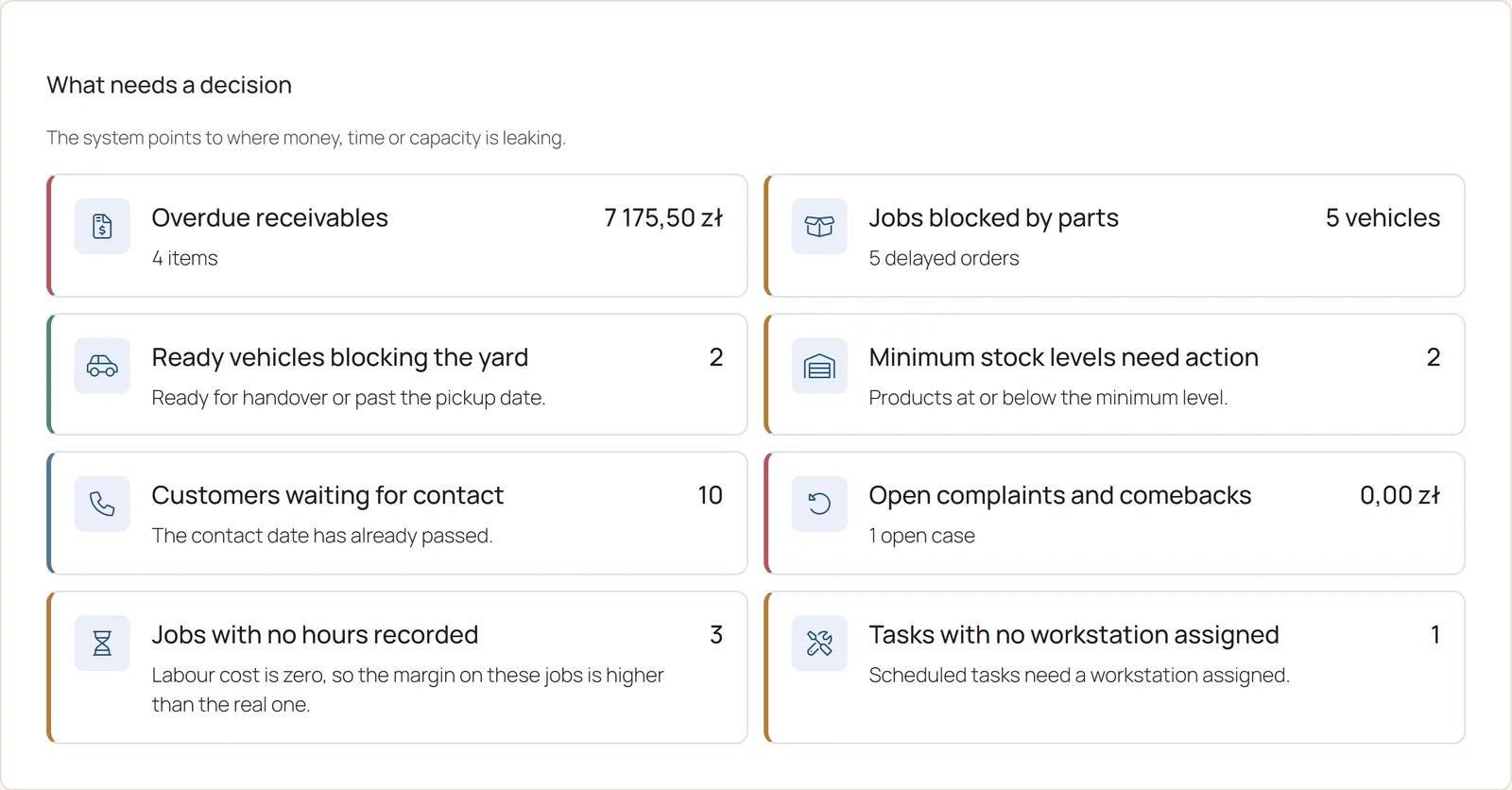
The What needs a decision tab shows cards for matters such as overdue receivables, parts blocking jobs, ready cars taking up the yard, stock below minimum or time plans exceeded. Each card leads to the list where you deal with it.
The centre is available to people with the finance permission and sits in the Settings menu below a divider.
- RESULTS IN NUMBERS
- Revenue, margin and jobs against the previous period.
- DECISIONS TO MAKE
- Cards for matters with links to lists.
- LOCATIONS SIDE BY SIDE
- Revenue, margin and receivables of each location.
02What it is for
The company on one screen
Key numbers without opening reports.
Nothing waits too long
Cards show matters that block work or money.
Where margin leaks
A list of the 10 most loss-making jobs.
Which location earns
Location results compared over a chosen period.
03Main options
The centre has result tiles and three tabs: What needs a decision, Money and Locations.
Matters to deal with
Cards with links to lists.
- Overdue receivables, parts blocking jobs, ready cars in the yard
- Minimum stock, customers waiting for contact, comebacks and rework
- Time plan exceeded, jobs without hours, work without a workstation, capacity
- A printable monthly summary
Trend and cost structure
Results over 12 months.
- Trend: revenue, margin and rework
- Cost structure: labour, parts, rework
- The 10 most loss-making jobs with CSV export

Results of each location
A chart and table for the chosen period.
- Jobs, revenue, margin and margin percentage
- Average job, receivables and rework cost
- CSV export

04Tasks step by step
- STEP 1Open Settings › Owner centre, What needs a decision tab.
- STEP 2Click a card, for example overdue receivables, and deal with the matter on the list that opens.
- STEP 1In What needs a decision use the printable monthly summary.
- STEP 2In the Money tab check the trend and the most loss-making jobs.
- STEP 1Open the Locations tab and pick the period.
- STEP 2Export the table to CSV if you need it in a spreadsheet.
05Actions
The most common tasks in the Owner centre.
What needs a decision
Matters that block work or money.
Monthly summary
A printout of the key numbers.
CSV export
Loss-making jobs and location results.
06What it connects to
Choose a module to see where the flags come from.
Service CRM
Customers waiting for contact come from Service CRM.
Go to the topicService CRMJobs and profitability
Job profitability details are in the report.
Go to the topicJobs and profitability